Set up your accounts.
Accounts tell CrazyToad which providers it may call — brain, agents, media.
- Where Manage → Accounts
- Cheapest subscription CLI login
- Keys encrypted, vaulted
- Local Ollama & friends
- Sign in with a CLI — Claude or Codex subscription, no key to paste.
- Or add an API key — the 4-step wizard for billable providers.
- Or add a local model — Ollama, LM Studio, vLLM, llama.cpp.
- Route roles & test — set defaults, press Test model.
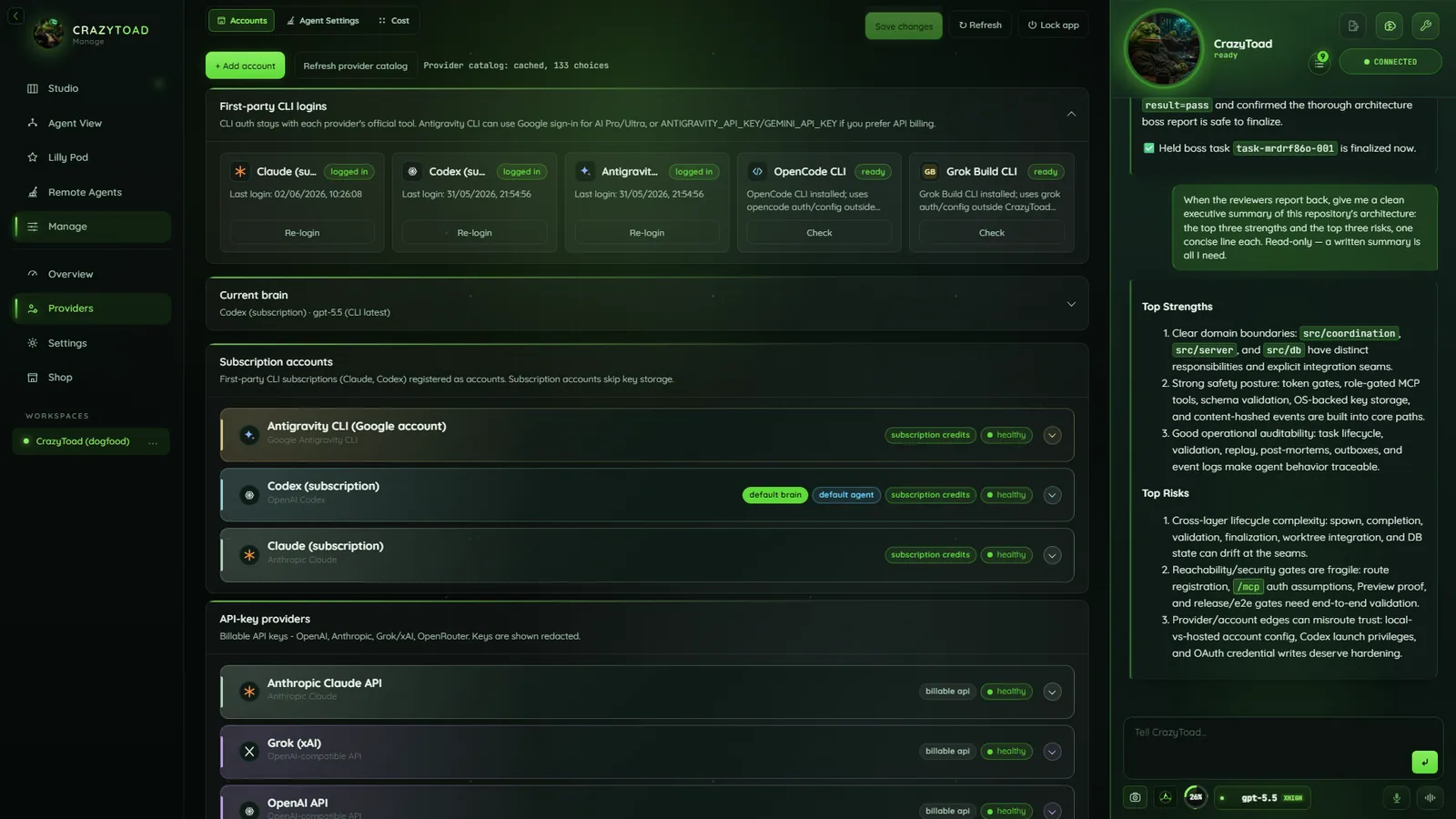
Note
Provider cards, defaults, health badges, add buttons.
Sign in with a subscription CLI
The cheapest path — sign in once, CrazyToad drives the session.
- In Manage → Accounts, find First-party CLI logins.
- Click Claude (subscription) (
claude auth login), Codex (subscription) (codex login), or Antigravity CLI (agy). - Finish the provider’s own sign-in — interactive, not a pasted token.
- Press Test model — you want “CLI auth OK”.
Note
The Antigravity CLI is agents-only — it cannot drive the brain.
Add an API key — the 4-step wizard
For providers that are not CLI subscriptions — OpenAI-compatible, Grok/xAI, Gemini API, media. Click + Add account: 1 Provider · 2 Endpoint · 3 Billing & key · 4 Models & roles.
LabelAny name. Required.
Provider kindPicked after choosing a tile.
Endpoint URLOpenAI
https://api.openai.com/v1; Grok/xAI https://api.x.ai/v1.Billing kindSubscription, Billable API, or Free. Only Billable API stores a key.
API keyNew key or vault reuse; Gemini keys start with
AIza.Default modelRequired. Refresh models pulls ids from the endpoint.
RolesToggle chips: Brain, Agent CLI, Image, Video, Other media.
Warning
Keys are encrypted (DPAPI / Keychain) in the shared Stored keys vault, reused for Remote Agents SSH keys.
Add a local model
Run models on your own machine — billing is Free, no key stored.
- Click + Local Ollama or the wizard’s Local tile.
- Refresh models discovers what you have installed.
Endpoint flavorOllama, LM Studio, vLLM, or llama.cpp.
Endpoint URLOllama
http://localhost:11434/v1; LM Studio http://localhost:1234/v1.Refresh modelsPulls installed ids from /models.
Default modelAn actually-installed id, e.g.
qwen2.5-coder:14b.Warning
Don’t paste a Codex or Gemini CLI model id as the Ollama default — it will 404.
Set defaults & route roles
Pick the default account and split work across roles.
- Defaults live on account cards; Agent roles maps providers.
- Both auto-save; each route has three fields.
ProviderClaude, Codex, or Antigravity.
ModelOptional override; blank uses the default.
EffortMinimal, Fast, Standard, Deep, or Max.
Note
Verify with Test model, Test connection (Gemini), and the health badges — installed is not usable. All under Manage.