How to drive Toad in Studio.
One conversation with the brain, with the work docked around it.
- Role daily surface
- Brain almost any model
- Approvals inline in chat
- Proof docked Workbench panels
- Sessions resume per workspace
- Type the work — describe what you want in plain language.
- Let Toad route it — background agents by default; steer with your wording.
- Approve inline — plans, memory, and code land in the conversation.
- Open proof — dock a Workbench panel beside the chat.
- Resume anywhere — each workspace keeps its own session.
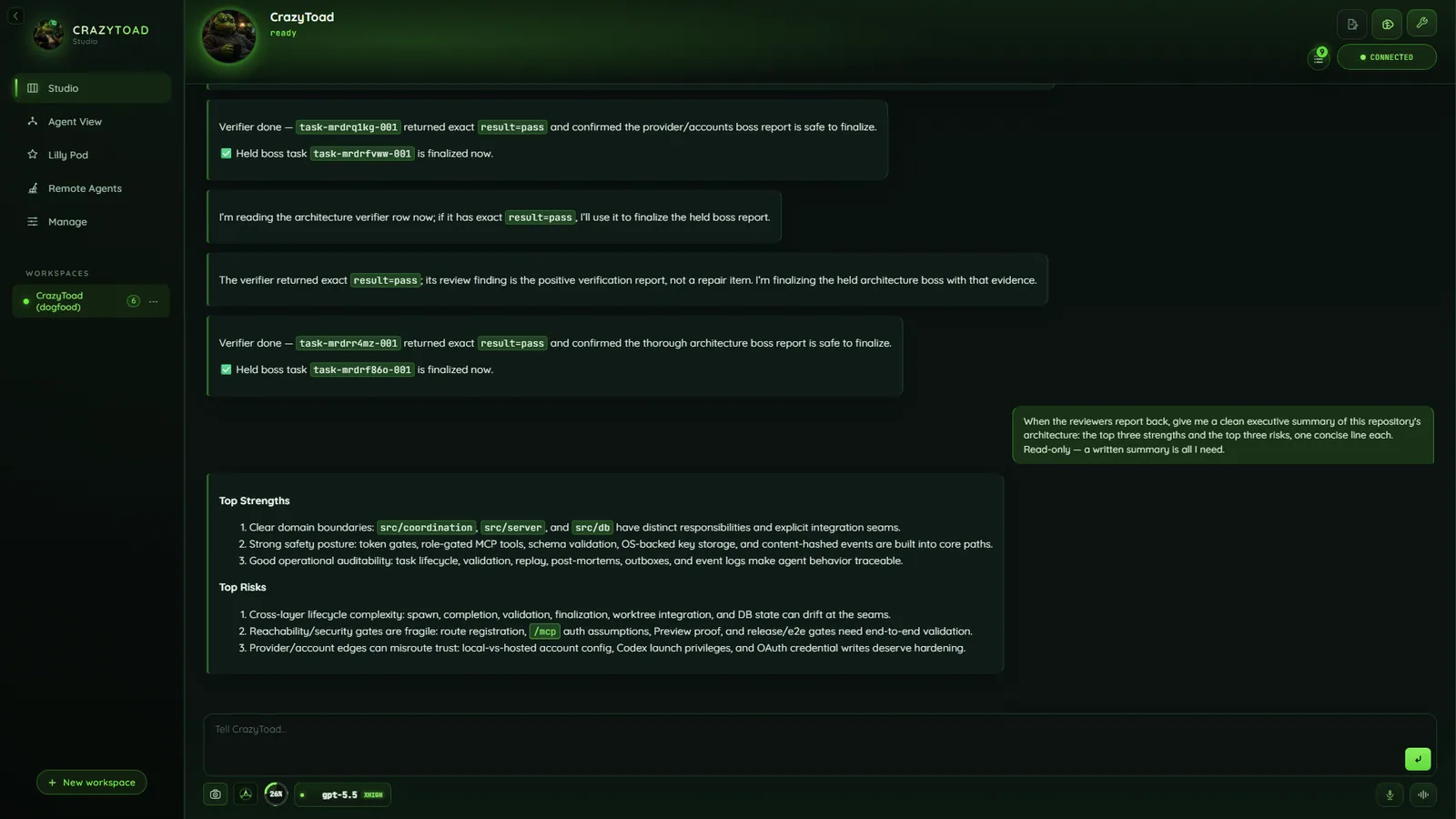
Chat, model controls, timeline, and docked workbench entry points.
Type the work in the composer
- Say it plainly — a one-line fix, a whole feature, a codebase question.
- Toad plans it, then answers directly or delegates to agents.
- Follow-ups stay in the same thread; context carries over.
- The brain runs on almost any model — CLI subscription, API key, or local — but not the Gemini/Antigravity CLI (agents-only). → Accounts
Choose where the work runs
Toad decides the default routing; steer it with the words you use.
StudioDelegated work runs in the background; the result comes home to the conversation.
Agent ViewVisible panes you watch and drive, on an auto-arranged grid — no free drag-resize.
Swarm (Lilly Pod)Mini-bosses move capped child agents through phase gates — for big work.
Note
Delegated work defaults to background agents. Reserve Agent View for watching or driving a pane, and swarms for genuinely big, multi-phase work.
Approve plans, memory, and code inline
- Plans, memory, code, and doc changes surface right in the conversation.
- Approve or redirect in context — no separate queue to hunt through.
- Memory is never written silently: evidence-linked, saved only when you approve.
Open Workbench panels for proof
- Open Preview for a rendered page, Files and Git for source, Terminal for a focused check.
- Panels dock beside the chat — you and Toad inspect the same evidence.
- GitHub actions run via the
ghCLI, using your existing login. → Workbench
Resume across workspaces
- Each switch reloads that workspace’s session state and brain memory.
- One workspace is active at a time; the rest keep their history.
Talk with voice when it is faster
- Voice and live-voice controls sit beside the composer, including the xAI realtime lane.
- Toad transcribes what you said and drives the same chat loop.
Tip
When to delegate. Background agents are the default — fire and keep talking. Save swarms for multi-phase, large fan-out, or overnight work; use Agent View only to watch or drive yourself.